Boost Overview
Boost is the Onflow Ads growth-services store. You buy measurable growth — members, followers, views, likes, reactions, subscribers and more — for your channels and profiles, pay from your Onflow Ads wallet, and watch delivery progress live.
Boost works across many platforms, including:
- Telegram — members, post views, reactions
- Instagram — followers, likes, views, reel plays
- YouTube — subscribers, views, watch time, likes
- TikTok — followers, likes, video views
- X (Twitter) — followers, likes, reposts, views
- Facebook — page likes, followers, reactions
- Discord — server members
- Spotify, Twitch and Threads — plays, followers, viewers and more
The exact services available at any moment are listed live on the public price list at https://onflowads.com/boost/prices — the catalogue is curated and updated continuously, and this is the page to open first if you have not signed in yet.
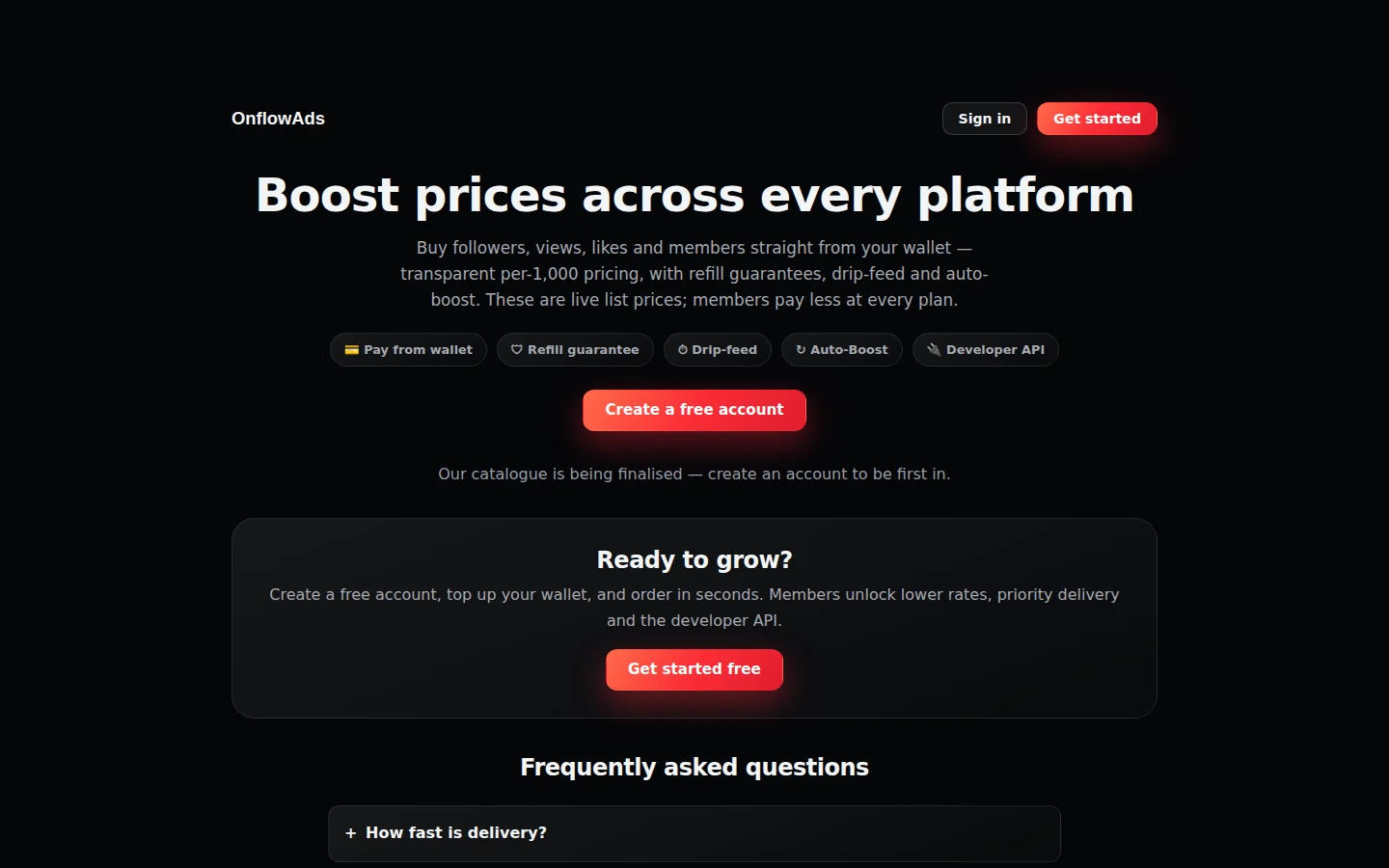
The public price list, readable without signing in — the capability badges, the "Create a free account" button, and the frequently asked questions below them.
Who it is for
- Channel and page owners who want to grow an audience or add social proof to posts.
- Creators who want a new channel, video or profile to look active from day one.
- Agencies and resellers who manage growth for clients — including a bulk "mass order" mode, a developer API, and (on the Ultimate plan) a branded storefront you can share under your own name.
How it works in one minute
- Browse the catalogue — publicly at https://onflowads.com/boost/prices, or signed in from your Boost dashboard.
- Pick a service, paste the link to your channel, post or profile (never a password — public links only), and choose a quantity.
- Pay from your wallet. Any boost credit you hold is spent first, then wallet cash. The full price breakdown is shown before you confirm.
- Track delivery live — every order has a progress bar, a status, and a delivery timeline. Completed orders can earn a refill; stuck or failed orders are refunded automatically.
Boost services only need a public link or @username. Onflow Ads never asks for your account password on any platform.
Key concepts
| Term | What it means |
|---|---|
| Service (booster) | One thing you can buy — e.g. "Telegram Channel Members". Each has its own price, minimum and maximum quantity, and capabilities (refill, cancel, drip-feed). |
| List price | The public price, quoted in USD per 1,000 units. This is what signed-out visitors see. |
| Member price | Your price after your plan's standing discount and any volume rate-break. Paid plans pay less on every order. |
| Wallet | Your Onflow Ads cash balance. Orders are charged to it — no card entry per order. |
| Boost credit | A separate, non-withdrawable balance that is spent before wallet cash on every boost. Earned from deposit bonuses, discount rebates, referrals and guarantee make-goods. |
| Order ID | Every boost gets a public ID like BO-XXXXXXXX. You use it to track, refill, cancel, and share proof of delivery. |
| Refill | On eligible services, asking the provider to top the count back up if it drops after delivery, inside a guarantee window. |
| Drip-feed | Delivering an order in batches over time instead of one burst, for a more natural pace. |
| Auto-Boost | A standing rule that automatically boosts every new post in your Telegram channel from a prepaid budget. |
Where everything lives
| Page | URL |
|---|---|
| Public price list (all platforms) | https://onflowads.com/boost/prices |
| Per-platform pages (e.g. Telegram) | https://onflowads.com/boost/telegram — also /boost/instagram, /boost/youtube, /boost/tiktok, /boost/x, /boost/facebook, /boost/discord, /boost/spotify, /boost/twitch, /boost/threads |
| One service's page | https://onflowads.com/boost/service/ID-name (linked from the price list) |
| Compare services side by side | https://onflowads.com/boost/compare?ids=… (built for you from the price list) |
| Boost dashboard (sign in required) | https://onflowads.com/telegram/dashboard/boost |
| Your orders | https://onflowads.com/telegram/dashboard/boost/orders |
| Developer API reference | https://onflowads.com/telegram/dashboard/boost/api |
| Delivery proof page for an order | https://onflowads.com/boost/proof/YOUR-ORDER-ID |
| A member's branded storefront | https://onflowads.com/boost/store/handle |
The Boost dashboard is organised into a few views, reachable from its top navigation:
- Command center — your channels, live metric tiles, orders in flight, the delivery feed, and the full catalogue of boosters.
- Boost lab — the order composer: pick a booster, target, amount and delivery options, see the exact quote, and launch.
- Cart — check out several boosts in one go (2 or more earns the bundle discount).
- Delivery console / Orders — every order with live progress, refill and cancel actions.
- Auto-Boost — standing rules that boost every new post automatically.
- Developer — API keys and order webhooks for power users.
You can also place and track boosts from the Onflow Ads Telegram bot (https://t.me/OnflowAdsBot) — orders from the bot and the website share one history, one wallet and one price list.
In this section
Every page below is a self-contained walkthrough — start at Browsing services and prices if you are new, or jump straight to the flow you need.
Browsing Services and Prices
How to explore the Boost catalogue publicly and signed in — platform pages, service pages, the price calculator, ratings, search and sorting.
Comparing Services
Put up to 4 boost services side by side on one shareable comparison page — price, quantity range, delivery, ratings and quality tags.
Getting a Quote
How to find out exactly what a boost will cost before any money moves — the public price calculator, the live server-priced quote in the Boost lab, and what every line of the quote means.
Placing an Order
Step-by-step walkthrough of ordering a single boost in the Boost lab — booster, target, amount, delivery options, the quote and launch.
Cart, Bundles and Mass Orders
Check several boosts out together for the 10% bundle discount, boost many targets in one go, and paste bulk orders row by row.
Tracking Your Orders
Order statuses, live delivery tracking, the Delivery console and Orders page, understanding the numbers, CSV export, and reporting a problem.
Refills
What a refill is, when an order qualifies, how to request one, guarantee windows by plan, and the automatic drop protection on guaranteed orders.
Cancellations and Refunds
How to stop a scheduled or in-flight boost, which orders can be cancelled, and the exact rules for every kind of refund.
Pricing and Discounts
How a boost's price is built — list price, add-ons, the discount stack and its 15% cap, coupons, volume rate-breaks and wholesale rates.
Boost Credit and Referrals
The non-withdrawable boost-credit balance — how you earn it, how it's spent, the itemised credit statement, and the refer-and-earn program.
Verified-Buyer Reviews
How to read service reviews, who may write one, the star-rating flow on a settled order, anonymity, and the standards check.
Favorites and Reordering
Star the boosts you run repeatedly and reorder them in one tap from the Favourites list in the Telegram bot.
Delivery Proof Pages
Every settled boost gets a public, shareable proof page — verified delivery counts and the full timeline, with no price and no buyer identity.
Auto-Boost
Standing rules that automatically boost every new post in your Telegram channel from a prepaid budget pool — creating, pausing, topping up, renewing and cancelling.
White-Label Storefront
Publish the live Boost catalogue under your own brand and markup on a shareable public page (Ultimate plan).
The Boost API
Drive the Boost store from your own tooling — the Perfect-Panel-compatible endpoint, API keys and rate limits, every action, error codes and order webhooks.
Boost FAQ and Troubleshooting
Quick answers to the most common Boost questions — ordering, delivery, refills, refunds, credit, Auto-Boost and the API — including the exact error messages and how to clear each one.
Next: Browsing Services and Prices — see what each platform sells and what it costs before you order.