Channels & Dashboard
Your dashboard is home base for everything you do on Onflow Ads: the channels you own, the growth engines you run, the links you track, the notifications you receive, and the reliability score that follows your account everywhere.
This section covers the dashboard itself and the account-wide tools that every product on Onflow Ads shares.
Signing in lands you on your launchpad, where you pick the platform you want to work on:
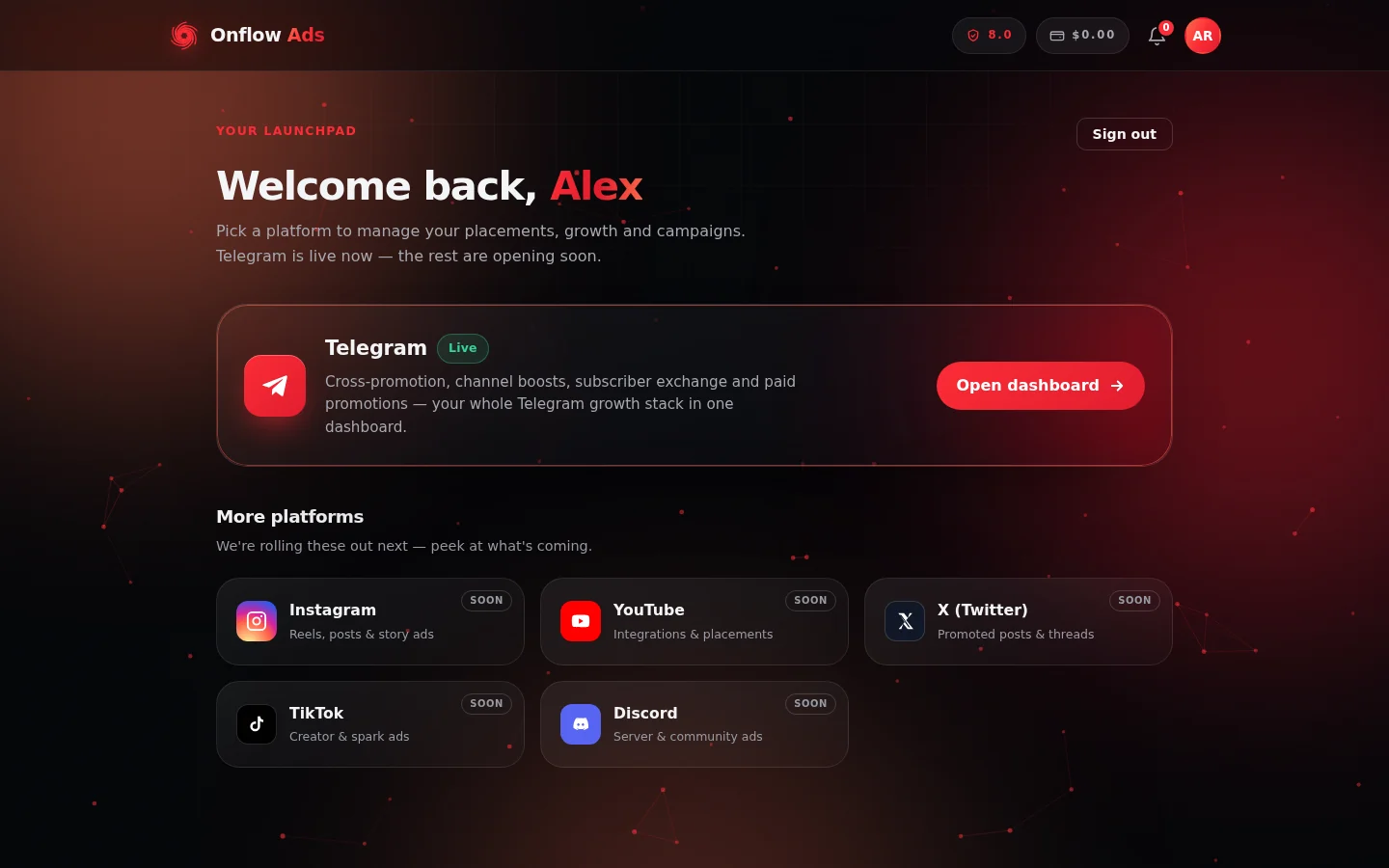
Your launchpad after signing in. Telegram is live today; the other platforms are marked "Soon". Everything in this section starts behind the Telegram card.
Who it is for
- Channel owners who list, verify and manage Telegram channels from one place.
- Any member — advertiser or creator — who uses the dashboard, notifications or link tracking.
- Anyone whose reliability score matters, which is everyone: the same score gates every product on the platform.
What you can do here
- See everything at a glance on the dashboard home — your channels, campaigns, wallet and quick links to every engine.
- Connect a Telegram channel by pasting its public link and verifying ownership with our bot — it takes under a minute.
- Set up a channel listing with a guided three-step wizard: details, ad prices and audience info, then submit it for review.
- Manage multiple channels from one list — edit, inspect live stats, or delete any of them.
- Track every link you promote: clicks, unique visitors, devices, referrers, countries and conversions.
- Control your notifications — in-app, email and Telegram — including hourly or daily email digests.
- Understand and grow your reliability score, the single trust number that decides what you can do across the platform.
Where things live
All dashboard pages require you to be signed in with a verified email address.
| Destination | URL |
|---|---|
| Signed-in home (platform launchpad) | https://onflowads.com/dashboard |
| Telegram dashboard hub | https://onflowads.com/telegram/dashboard |
| Add a channel | https://onflowads.com/telegram/dashboard/channels/new |
| Link Tracking | https://onflowads.com/telegram/dashboard/links |
| Notifications | https://onflowads.com/telegram/dashboard/notifications |
| Reliability score | https://onflowads.com/telegram/dashboard/reliability |
| Wallet | https://onflowads.com/telegram/dashboard/wallet |
If you use Telegram, start our bot and link it to your account. You will get every important notification as a Telegram DM, and during channel verification we can also confirm directly that you are an admin of the channels you list.
In this section
The pages below run in reading order — start at the dashboard tour and work down, or jump straight to the tool you need.
The dashboard home
A tour of the Onflow Ads dashboard — the platform launchpad, the Telegram hub, growth engines, and the header tools that follow you on every page.
Adding a channel
Connect a public Telegram channel to Onflow Ads — paste its link, add our bot as an admin to prove ownership, and preview it instantly.
Verifying your channel
Prove you own a Telegram channel by adding our bot as an admin — the rights to grant, the one-tap deep link, and every result message decoded.
Setting up your channel listing
Complete the three-step channel wizard — details, ad prices and audience — and submit your Telegram channel for review on Onflow Ads.
Managing your channels
Work with multiple Telegram channels on Onflow Ads — the My channels list, every status explained, and the live channel details view.
Editing channel details
Change your channel listing on Onflow Ads — what you can edit, when editing is open or locked, how saving works, and how to resubmit after "Needs changes".
Deleting a channel
Remove a Telegram channel from your Onflow Ads account — the two-click confirmation, what is deleted, what is kept, and what re-listing takes.
Link Tracking
See clicks, unique visitors, devices, referrers, countries and conversions for every tracked link in your Onflow Ads campaigns and AI-generated copy.
Notifications
Read every account update from the bell or the notification center, and choose how it reaches you by email, Telegram DM or browser push.
Your reliability score
The single 0-to-10 trust number on your account — what it gates, how it moves, how to read your ledger, and how to appeal a penalty.
FAQ & troubleshooting
Quick answers for the dashboard, channel verification, tracked links, notifications and the reliability score.
Next: The dashboard home — the hub every engine hangs off.