Link Tracking
Link Tracking answers the question every advertiser has after a campaign: did the ad work? Links you promote through Onflow Ads are automatically shortened through Onflow Ads' own tracking redirect, so every click is measured — no external analytics setup needed.
Open it from the sidebar (Link Tracking) or go straight to https://onflowads.com/telegram/dashboard/links.
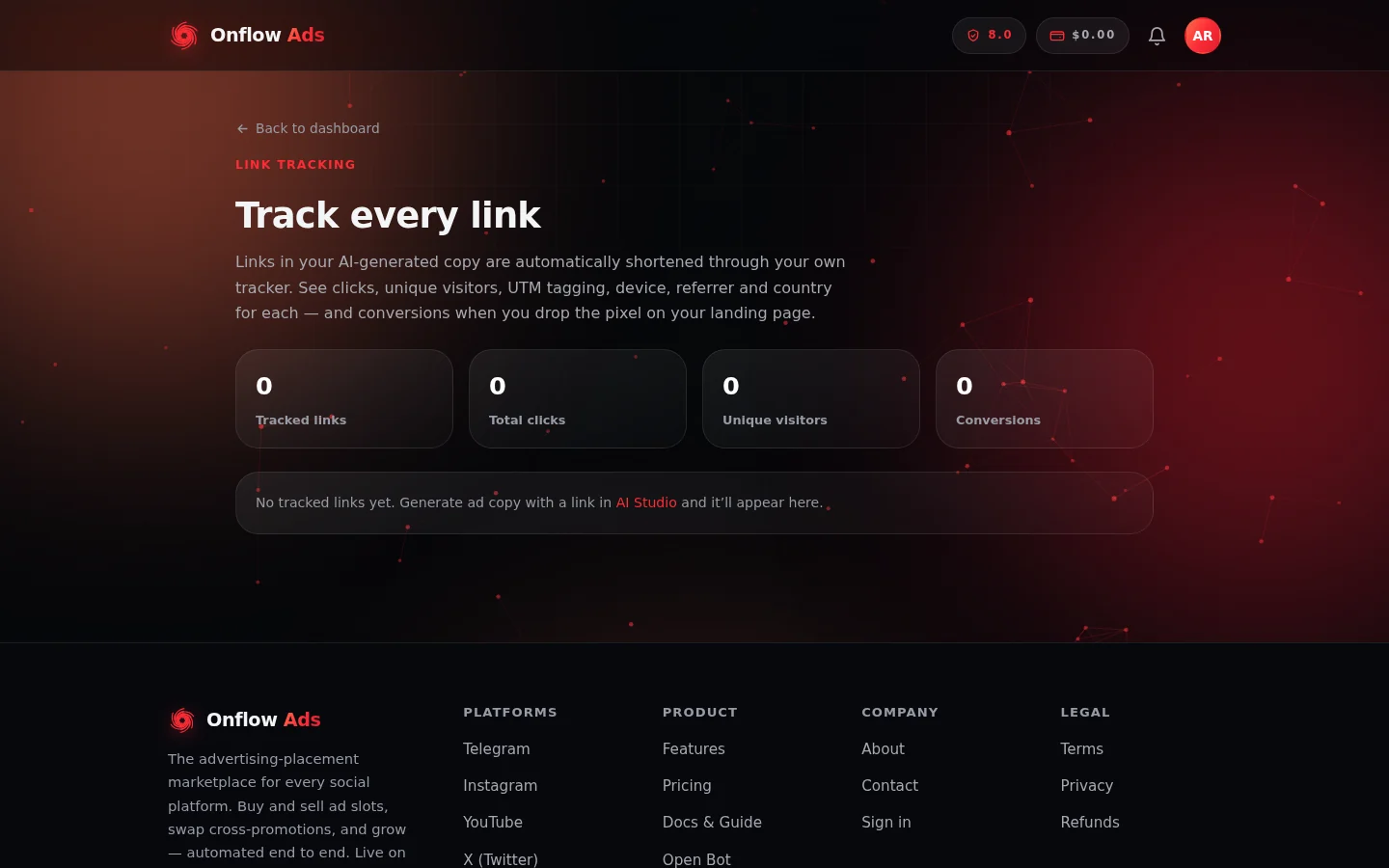
Link Tracking on a brand-new account. The four totals sit across the top; your links appear as rows underneath as soon as the first one is minted.
Where tracked links come from
You do not create tracked links by hand — they are minted automatically:
- AI Studio — when you generate ad copy that contains a link, the link is shortened automatically and tagged AI in the list.
- Paid Promotions campaigns — links inside your ad creative are rewritten through the tracker when you book a campaign, so a completed placement can report clicks alongside views. Up to 10 distinct links per campaign are tracked.
Each tracked link becomes a short redirect address on the Onflow Ads domain. When a reader clicks it, they are counted and instantly forwarded to your real destination.
Two kinds of destinations are deliberately never rewritten: t.me / Telegram links (rewriting them would break Telegram's smooth in-app navigation) and links to Onflow Ads itself. Those keep their original form.
UTM tagging, done for you
Tracked destinations get standard UTM parameters (like utm_source=onflowads) appended automatically, so clicks show up properly attributed in your own analytics tools too. If you already added your own UTM tags to a link, yours are kept untouched — we only fill in parameters you have not set.
Reading the dashboard
The page opens with four totals across all of your links:
- Tracked links — how many links you have
- Total clicks — every click across all links
- Unique visitors — repeat clicks from the same visitor on the same day count once
- Conversions — actions recorded by your conversion pixel
Below, each link is a row showing its label (or destination), its clicks, uniques and conversions. Click a row to expand the full breakdown:
- The tracked short URL, with a Copy link button, and the real destination.
- Clicks over time — a daily bar chart.
- By device — desktop, mobile, tablet, and bot traffic classified separately.
- By referrer — which sites (or direct opens) sent the clicks.
- By country — where clicks came from.
Counting conversions
Clicks tell you people arrived; conversions tell you they did what you wanted — signed up, purchased, subscribed. Each link's detail panel includes an optional conversion pixel: a tiny invisible image you place on the success or thank-you page of a site you control.
- Expand the link's row and find Conversion pixel (optional).
- Click Copy pixel and paste the snippet into your landing page's success page. It looks like this (with your own link code):
<img src="https://onflowads.com/lc/YOURCODE.gif" width="1" height="1" alt="" style="display:none">
- Optionally add a value and event name to the pixel URL, e.g.
?v=1999&e=purchase—vis the value in cents andeis a short event label.
Every time the success page loads, a conversion is counted against that link.
Conversions only work on destinations where you can add the pixel. Links pointing to sites you do not control will still track clicks, uniques, devices, referrers and countries — just not conversions.
Privacy, by design
- No IP addresses are stored. Unique visitors are counted with a salted, non-reversible fingerprint that cannot be turned back into an address.
- Referrers are stored as the site name only, never the full page URL a visitor came from.
- Country comes from a coarse network-level lookup — never precise location.
- Redirects are temporary (never cached as permanent), so your counts stay accurate on repeat clicks.
If a link stops being used
Tracked links keep working even after a campaign ends — a reader clicking an old post is still forwarded to your destination and still counted. If a tracked address is ever invalid or retired, visitors are sent to the Onflow Ads homepage rather than an error page.
Next: Notifications — how Onflow Ads tells you what just happened, and how to choose the way it reaches you.