Creating Your Account
Signing up takes a couple of minutes: you fill in a short form, then confirm your email address with a 6-digit code we send you.
What you'll need
- A working email address you can check right away.
- A strong password (the rules are below).
Step 1 — Fill in the sign-up form
The sign-up page puts the form on the right and a summary of what the platform does on the left. Everything you need is on this one screen: Full name, Email, Password, Confirm password, and the Terms checkbox.
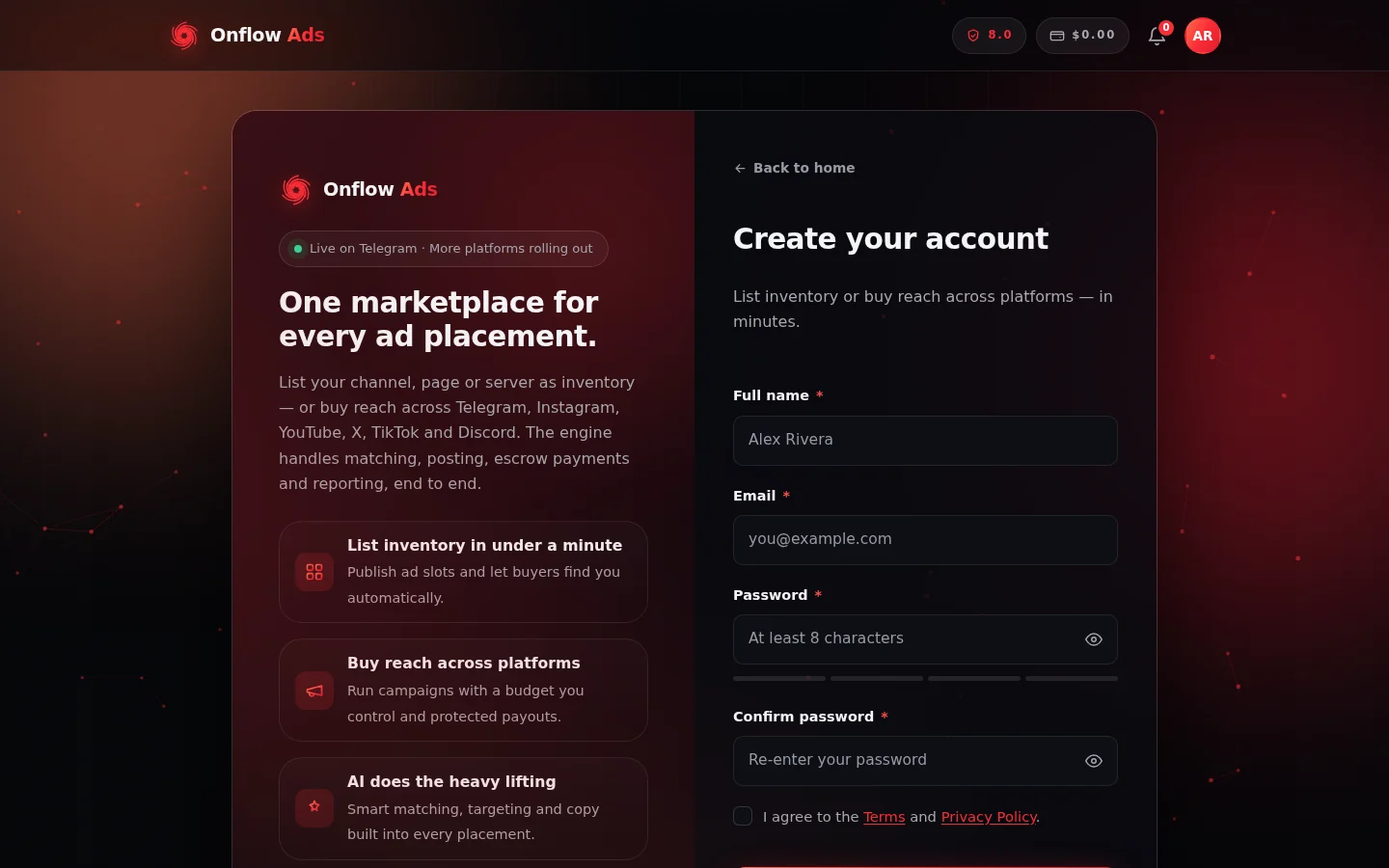
The sign-up form at onflowads.com/signup. The four coloured segments under the password field are the strength meter, and the Terms checkbox sits just below Confirm password.
- Go to https://onflowads.com/signup.
- Enter your Full name — this is how we address you in emails and across the app. You can change it later in your account settings.
- Enter your Email — this becomes your sign-in email and is where we send your verification code.
- Choose a Password and repeat it in Confirm password. A strength meter under the password field shows how strong your choice is.
- Tick "I agree to the Terms and Privacy Policy". You can read both at https://onflowads.com/terms and https://onflowads.com/privacy.
- If a verification challenge (a small "prove you're human" widget) appears on the form, complete it.
- Click Create account.
Password rules
Your password must:
- be 8 to 20 characters long
- contain a lowercase letter, an uppercase letter, a number and a symbol (for example
!,?or#) - contain no spaces
- not be a common password (like
password123) - not contain the name part of your email address
The form tells you exactly which rule a rejected password missed, so you never have to guess.
When these sign-in methods are enabled on the site, the sign-up page also offers Continue with Telegram, Continue with Google and Continue with Apple. These create your account and sign you in in one step, with no password or email code needed. See Signing In with Telegram for how the Telegram option works.
Step 2 — Verify your email
After you click Create account, we email a 6-digit code to your address and send you to the Check your email page at https://onflowads.com/verify. The page shows a partly masked version of your email so you know where the code went.
- Open the email from Onflow Ads and find the 6-digit code.
- Type it into the Verification code box. As soon as you enter the sixth digit, the page checks it automatically (you can also click Verify and continue).
- On success you'll see "Email verified — welcome to Onflow Ads!" and you're signed in and taken into the site.
The verification step has its own dedicated page — Verifying Your Email — covering every rule (code lifetime, attempts, resends, lockouts), every error message, and what to do if the email never arrives.
If the email is already registered
- If an account with that email already exists and is verified, you'll see: "An account with that email already exists. Try signing in." Head to https://onflowads.com/signin — and use password reset if you've forgotten the password.
- If you previously started signing up but never finished verifying, you can simply sign up again with the same email — your name and password are refreshed and you continue the verification step as normal.
What happens behind the scenes
- Your password is stored only as a secure cryptographic hash — never in plain text.
- Your account is automatically assigned its permanent OFA ID (see Your OFA ID).
- Once verified, you're signed in on that browser and can go straight to your dashboard.
Next: Verifying your email — the last step before your account goes live. After that, take a tour of the dashboard and turn on two-factor authentication.