Signing In with Email
You sign in at https://onflowads.com/signin. This page covers the email and password flow end to end. The password-free alternative has its own page: Signing In with Telegram. (The Continue with Telegram, Continue with Google and Continue with Apple buttons each appear only when that sign-in method is enabled on the site.)
Sign in with email and password
The sign-in page asks for two things — your email and your password — with Remember me and Forgot password? on the line just beneath them.
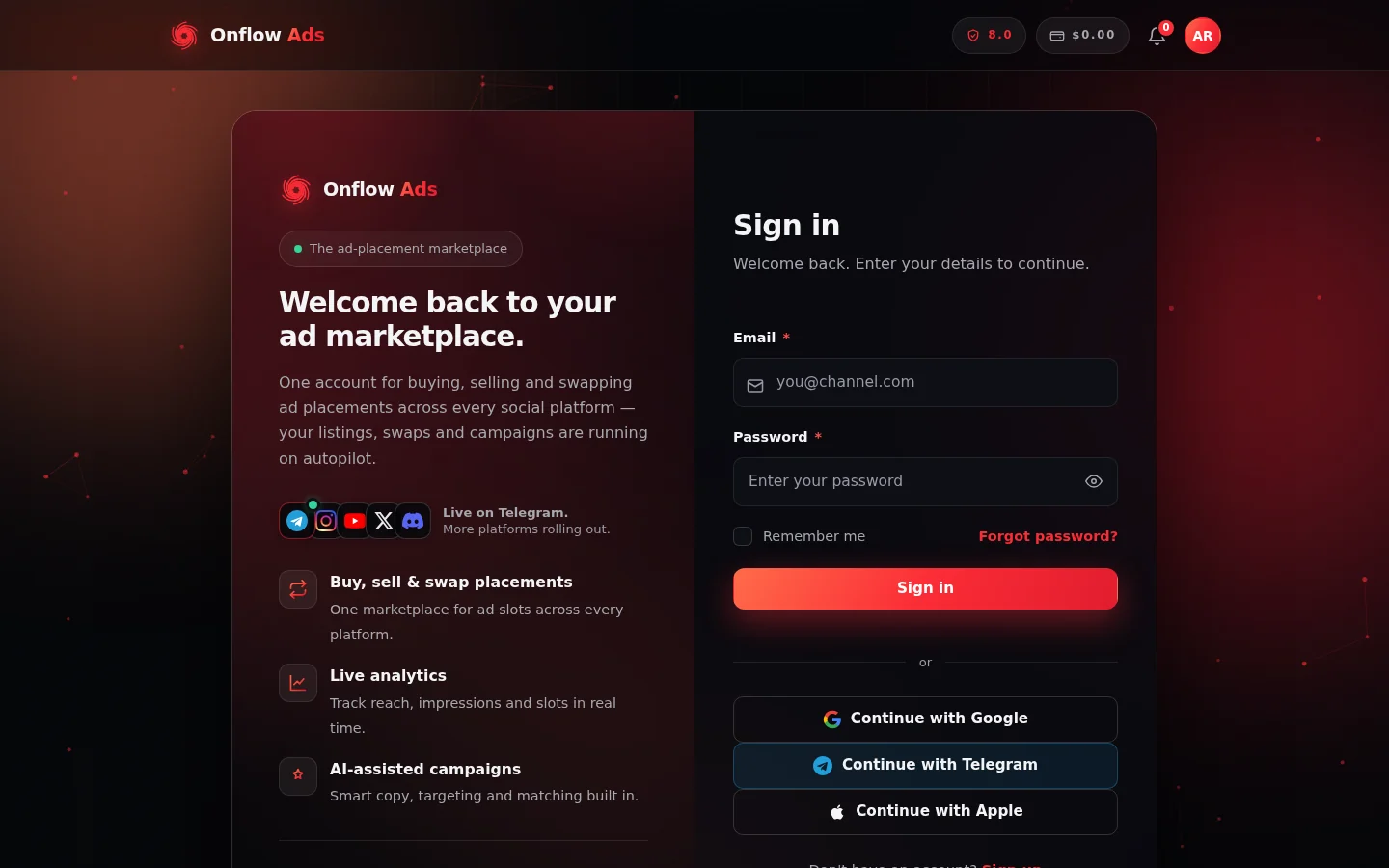
The sign-in page at onflowads.com/signin. Below the Sign in button, an "or" divider separates the password form from the Continue with Google, Continue with Telegram and Continue with Apple buttons.
- Go to https://onflowads.com/signin.
- Enter your Email and Password.
- Optionally tick Remember me (see below).
- Click Sign in.
On success you're taken to your dashboard at https://onflowads.com/dashboard.
"Remember me" and how long you stay signed in
| Option | How long your session lasts |
|---|---|
| Remember me unticked (default) | About 48 hours |
| Remember me ticked | About 30 days |
When a session expires you're simply asked to sign in again. Signing out (or resetting your password) ends sessions immediately.
If two-factor authentication is on
If you've enabled two-factor authentication, the sign-in page switches to a second step after your password is accepted:
- The page shows "Two-factor authentication is on for this account."
- Enter the 6-digit code from your authenticator app in the Authentication code field — or one of your recovery codes if you've lost your device.
- Click Verify and sign in.
Prefer to skip the password?
If you use the Onflow Ads Telegram bot, Continue with Telegram signs you in with no password at all: a window shows you a 6-digit code, you type it into the bot chat, and your browser signs itself in automatically. The full walkthrough — every status, error message and rule — is on its own page: Signing In with Telegram.
Whether you sign in with email, Telegram, or another method, it's the same Onflow Ads account — identified by the same OFA ID.
Common sign-in messages
| Message | What it means |
|---|---|
| Incorrect email or password. | The email/password combination didn't match. Use Forgot password? if needed. |
| Your account is suspended until [date]. | Your account is temporarily suspended. Access returns automatically after the date shown. |
| Your account has been suspended. | Your account has been blocked. Contact support if you believe this is a mistake. |
| Too many attempts. Please wait a minute and try again. | Sign-in attempts are temporarily rate-limited. Wait a bit and try again. |
Forgot your password?
Click Forgot password? on the sign-in page (it links to https://onflowads.com/reset-password) and follow the steps in Resetting Your Password.
Signing out
- On the dashboard, click the Sign out button in the top-right of the page.
- Or open the account menu in the site navigation and choose Sign out.
Signing out ends your session on that browser immediately.
Next: Signing in with Telegram — the password-free route in, through the Onflow Ads bot.