The Support page in your dashboard
Your dashboard has its own Support hub at https://onflowads.com/telegram/dashboard/support. It doesn't do anything the rest of this section doesn't — it is a signposting page that puts the two main routes to a human in one place, for people who look for "Support" in a menu rather than for a floating button.
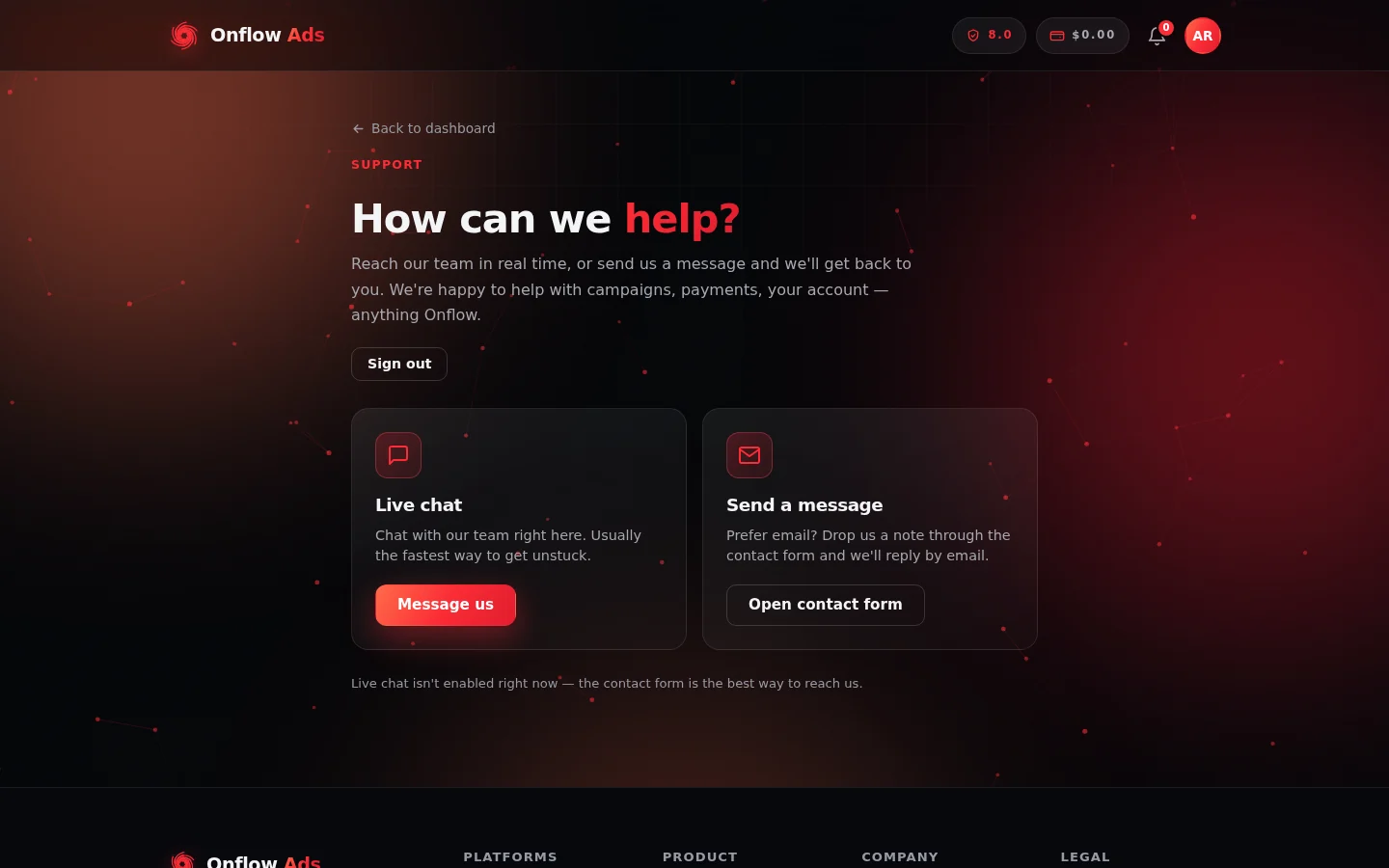
The Support hub. This is the live-chat-off state: the first card's button reads Message us, and the line underneath explains why.
Getting there
- From your dashboard, open the Support entry (shown with a 🎫 ticket icon) in the dashboard navigation.
- Or go straight to https://onflowads.com/telegram/dashboard/support.
This page is part of your dashboard. If you're not signed in you're sent to https://onflowads.com/signin; if your email isn't verified yet you're sent to https://onflowads.com/verify to finish that first. Everything else in this section — the help widget, the contact form and support@onflowads.com — works without an account.
What's on the page
At the top: a Back to dashboard link, the eyebrow Support, and the heading How can we help?, followed by a line explaining that the team is happy to help with campaigns, payments, your account — anything Onflow Ads. A Sign out button sits on the right.
Below that, two cards:
| Card | Button | What it does |
|---|---|---|
| Live chat — "Chat with our team right here. Usually the fastest way to get unstuck." | Start a chat | Opens the live chat window on the page when live chat is running. |
| Send a message — "Prefer email? Drop us a note through the contact form and we'll reply by email." | Open contact form | Takes you to https://onflowads.com/contact. See The contact form. |
When live chat isn't available
Live chat is not always switched on. When it isn't:
- The Start a chat button relabels itself to Message us, and clicking it takes you to the contact form instead of opening a chat window.
- A note appears under the cards: "Live chat isn't enabled right now — the contact form is the best way to reach us."
The page gives the chat service a moment to load before deciding, so the button may briefly read Start a chat before settling on Message us. Either way, nothing is lost — both buttons end up at a route that reaches the same team.
Onflow Ads runs one help surface at a time. When live chat is running, it replaces the in-house Get help widget; when it isn't, the Get help widget is the on-site route and this page's chat button falls back to the contact form. You never need to decide which is active — use whichever you can see.
Which button should I press?
- Start a chat / Message us — you want the fastest possible route while you're at your desk.
- Open contact form — you want to write it out properly and get an email back.
If you can see the floating Get help button in the corner of the page, that is usually the better route than either: it can answer common questions instantly and gives you a reference code and a conversation view. See Using the Get help widget.
Edge cases
The page bounced me to the sign-in screen. Your session expired. Sign in and open it again — or skip the page entirely and use the contact form, which needs no session.
The page bounced me to the verification screen. Your email address isn't verified yet. Finish verification, then come back. In the meantime the contact form and support@onflowads.com both work.
I clicked Start a chat and nothing happened. Live chat was still loading, or it isn't enabled. Wait a second and look at the button — if it now reads Message us, use it, or press Open contact form.
Both buttons take me to the contact form. That's the expected behaviour when live chat is off. The contact form is the supported route at that moment.
FAQ
Does this page show my past support conversations? No. Past conversations live in the Get help widget under Your messages — see Ticket statuses and threads — and in your email inbox.
Is there a Support page for the Telegram bot? No. Support runs through the website and the support email address.
Can I reach this page while a section of the site is in maintenance? If your dashboard section is in maintenance you'll see the maintenance page instead. The status page and support@onflowads.com stay available throughout — see Maintenance windows.
Next: not sure which route is right for you? Read Choosing the right support channel.